Compress PDF
Significantly reduce the file size of your PDF documents.
All-in-one online converters
In today’s digital world, file conversion tools have become essential for students, professionals, and everyday users. Whether you are working with images, documents, or PDFs, having the right converter tools can save time and improve productivity. Modern online platforms now offer a wide range of conversion utilities that allow users to quickly transform files into different formats without installing any software. Tools like Image to JPG, Image to JPEG, HEIC to JPG, Images to PDF, JPG to PDF under 100KB or 500KB, JPG to Text, JPEG to PNG, Compress PDF, and Merge Multiple PDF have become extremely popular due to their simplicity and efficiency.
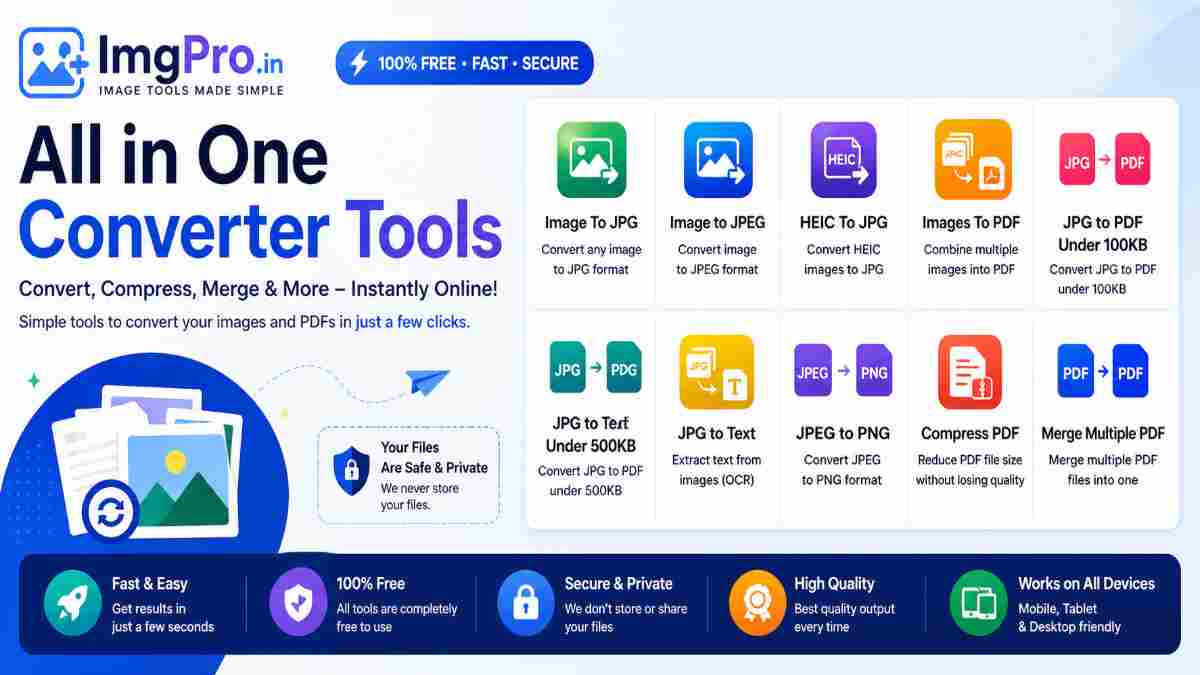
One of the most commonly used tools is Image to JPG. JPG is a widely accepted format that offers a good balance between image quality and file size. Many devices and platforms support JPG, making it ideal for sharing and uploading images. This tool allows users to convert various formats such as PNG, WEBP, or BMP into JPG instantly. It reduces file size while maintaining decent quality, which is perfect for websites, forms, and email attachments.
Similarly, Image to JPEG works in the same way but focuses on the JPEG format, which is technically the same as JPG. This tool ensures compatibility across different devices and applications. It is especially useful when certain platforms specifically require JPEG format for uploads. Users can easily convert images with just a few clicks, ensuring that their files meet the required standards.
HEIC to JPG is another important converter, especially for iPhone users. HEIC is a modern image format used by Apple devices that offers high-quality images with smaller file sizes. However, many websites and systems do not support HEIC. This tool converts HEIC images into JPG format, making them accessible and usable across all platforms. It ensures that users do not face compatibility issues when uploading or sharing images.
Images to PDF is a powerful tool that allows users to combine multiple images into a single PDF file. This is particularly useful for creating documents, reports, or presentations. For example, students can convert scanned notes into a single PDF, and professionals can compile multiple images into one document for easy sharing. The tool maintains image quality and organizes them in a structured format.
JPG to PDF under 100KB is designed for users who need to meet strict file size requirements. Many online applications and government portals have file size limits, and this tool helps users compress and convert JPG images into a PDF under 100KB. It ensures that the file meets the size criteria without losing too much quality. This is especially useful for job applications, exam forms, and official submissions.
Similarly, JPG to PDF under 500KB provides a slightly higher size limit while maintaining good quality. It is suitable for situations where better image clarity is required but still within a restricted size. Users can easily adjust compression settings to achieve the desired balance between size and quality.
JPG to Text is an advanced tool that uses Optical Character Recognition (OCR) technology. It extracts text from images and converts it into editable text format. This is बेहद useful for digitizing printed documents, notes, or scanned files. Instead of manually typing content, users can simply upload an image and get the text instantly, saving time and effort.
JPEG to PNG is another essential converter that changes image format while preserving quality. PNG format supports transparency and is often used for graphics, logos, and web design. This tool is helpful when users need high-quality images with transparent backgrounds or lossless compression.
Compress PDF is a widely used tool that reduces the size of PDF files without significantly affecting quality. Large PDF files can be difficult to upload or share, especially via email. This tool optimizes the file size, making it easier to handle while maintaining readability and clarity.
Merge Multiple PDF is a convenient tool that allows users to combine several PDF files into one. This is useful for organizing documents, creating reports, or submitting multiple files as a single document. It simplifies file management and improves efficiency.
All these tools are designed to be user-friendly and accessible from any device, including smartphones, tablets, and desktops. They do not require installation and work directly in the browser. Users can upload files, select the desired conversion, and download the result within seconds. Security is also a priority, as most platforms ensure that uploaded files are automatically deleted after processing.
In conclusion, online converter tools have revolutionized the way we handle digital files. From image conversion to PDF management and text extraction, these tools provide quick, reliable, and efficient solutions for everyday tasks. By using these tools, users can save time, reduce file size, and ensure compatibility across different platforms. Whether you are a student, professional, or casual user, these converters are essential for managing digital content effectively.