Convert JPG to WEBP Free
Quickly convert your JPG and JPEG images to WEBP format for better web delivery and reduced file size.
Key Features:
- Modern Image Format: WEBP offers superior lossless and lossy compression for images on the web.
- Batch Processing: Convert up to 10 images smoothly in one go.
- Instant Download: Get your files directly without any server retention.
- Automatic Optimization: Processed with standard quality settings suited for web delivery out-of-the-box.
Convert JPG to WEBP Quickly – Free Online Image Converter for Faster Web Performance
- Widely supported across all devices
- Ideal for photographs and detailed images
- Adjustable compression levels
- Smaller than raw image formats
- Smaller file size than JPG and PNG
- Supports both lossy and lossless compression
- Supports transparency
- Faster loading performance
- Optimized for web use
- Upload Your JPG Image: Select your image from your device.
- Select WEBP Format: Choose WEBP as the output format.
- Adjust Quality Settings: Set compression level as needed.
- Click Convert: Start the conversion process.
- Download Image: Save your optimized WEBP file instantly.
- Fast and instant conversion
- No software installation required
- High-quality output with reduced size
- Supports multiple uploads
- Secure image processing
- Works on mobile and desktop
- Website image optimization
- Blog and article images
- E-commerce product images
- Social media uploads
- Portfolio galleries
- Email attachments
- Works on all devices
- Quick and simple process
- Free to use
- Instant results
In today’s digital world, images play a crucial role in websites, social media, and online applications. However, large image files can slow down performance, increase loading time, and negatively impact user experience. This is where image optimization becomes essential. One of the most effective ways to optimize images is by converting them from JPG to WEBP format.
WEBP is a modern image format designed to provide high-quality visuals with significantly smaller file sizes. If you want faster website loading, better SEO rankings, and efficient storage usage, Convert JPG to WEBP is a smart and practical solution.
What is JPG Format?
JPG (or JPEG) is one of the most widely used image formats. It uses lossy compression, which reduces file size by removing some image data.
However, JPG images may lose quality after compression and do not support transparency.
What is WEBP Format?
WEBP is a next-generation image format designed for the web. It offers advanced compression methods that reduce file size while maintaining high visual quality.
Why Convert JPG to WEBP?
1. Faster Website Loading Speed
WEBP images are smaller, which helps websites load faster and improves user experience.
2. Better SEO Performance
Search engines prefer fast-loading websites. Using WEBP images can improve page speed and rankings.
3. Reduced Bandwidth Usage
Smaller images consume less data, making them efficient for both users and website owners.
4. Improved User Experience
Fast-loading images create smoother browsing and reduce bounce rates.
5. High Quality with Smaller Size
WEBP maintains excellent visual quality even with reduced file size.
How to Convert JPG to WEBP Quickly
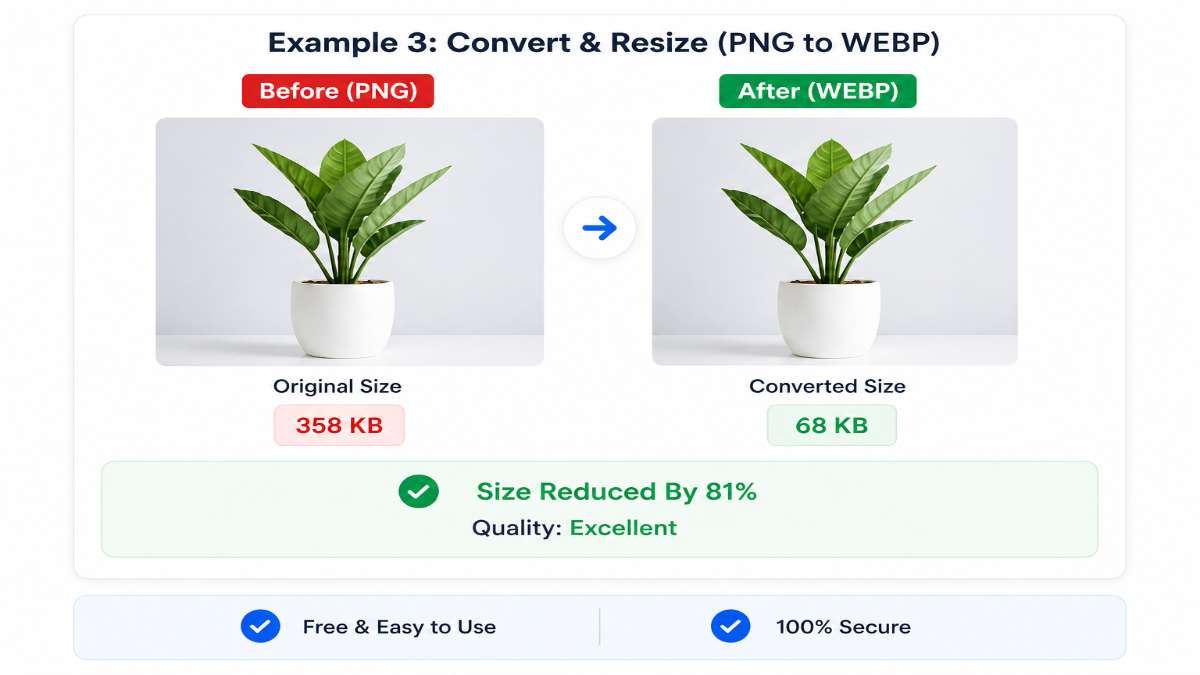
Key Features of JPG to WEBP Converter
Best Practices for JPG to WEBP Conversion
1. Choose the Right Quality
Avoid very low-quality settings to prevent blurry images. Balance size and clarity.
2. Resize Before Converting
Reduce image dimensions before conversion to achieve better optimization.
3. Use WEBP for Web Content
WEBP is best suited for websites, blogs, and online platforms.
4. Keep Original Files
Always keep the original JPG images for future editing or backup.
5. Test Output Images
Check the final WEBP image quality and loading performance before publishing.
JPG vs WEBP Comparison
| Feature | JPG | WEBP |
|---|---|---|
| File Size | Medium | Smaller |
| Quality | Good | Better at same size |
| Transparency | No | Yes |
| Compression | Lossy | Lossy & Lossless |
| Web Performance | Moderate | Excellent |
Common Use Cases
Frequently Asked Questions (FAQ)
1. Is WEBP better than JPG?
Yes, WEBP offers better compression and quality for web use.
2. Will quality decrease after conversion?
Slight changes may occur, but WEBP maintains high quality with proper settings.
3. Can I convert WEBP back to JPG?
Yes, conversion tools allow you to switch formats easily.
4. Is WEBP supported everywhere?
Most modern browsers support WEBP including Chrome, Edge, Firefox, and Safari.
5. Is it safe to use online tools?
Yes, trusted tools process images securely without storing them permanently.
6. Can I convert multiple images?
Many tools support batch conversion for efficiency.
7. What is the best quality setting?
A range of 70–85% provides a good balance between size and clarity.
Advantages of Online Conversion
Conclusion
Converting JPG to WEBP is an effective way to optimize images for modern web usage. It reduces file size, improves speed, and enhances SEO performance while maintaining visual quality.
With a simple online tool, you can quickly convert your images without any technical skills. Whether you are a blogger, developer, or website owner, using WEBP format will help you achieve better performance and efficiency.
Start converting your JPG images to WEBP today and enjoy faster, lighter, and smarter image optimization.